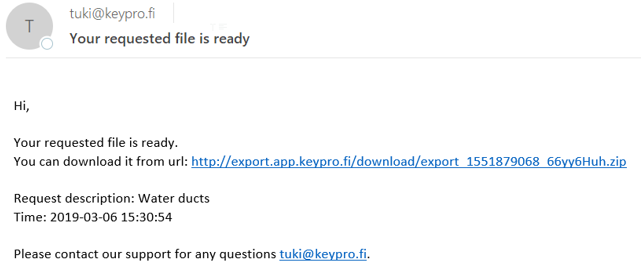
Exporting objects to external file formats (this function is subject to a separate order)
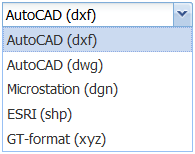
You can export KeyAqua objects to AutoCAD (dwg, dxf), ESRI (shp), Microstation (dgn), and GT Format (xyz) formats. You can also export diagram objects, area objects, and the area borders of plans to these formats. (Licence customers can use this function if the application server is allowed to open connections.)
Use either the Info form or the object forms to export network and annotation data to one of the formats listed above.
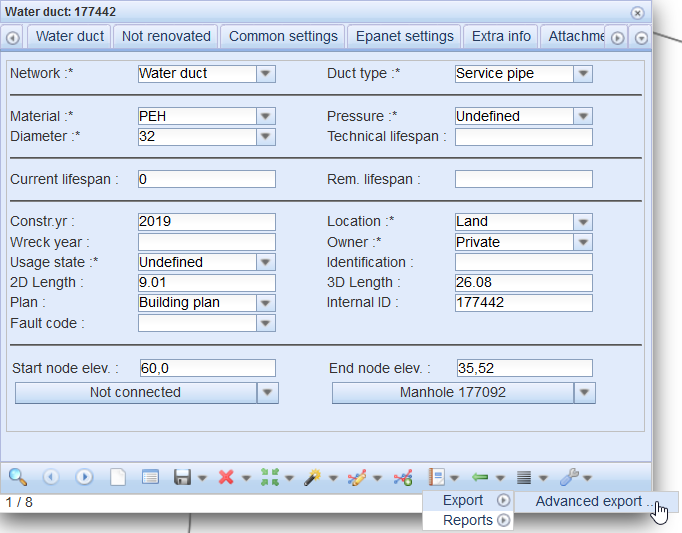
- In the drop-down menu for Export
 , in the Export menu, select Advanced export... to export the objects to another file format.
 - On the Export settings form displayed, select the export Format.
- Enter a description of the export.
- Select the projection applicable to the file that you want to create.
- Select whether annotations are exported.
Note! Email addresses are defined/linked to user ID's through the admin user interface. If the intention is that a user does not have rights to use this function, the email address field must be left empty.
Admin users can edit the email address to which the link for downloading data is sent.
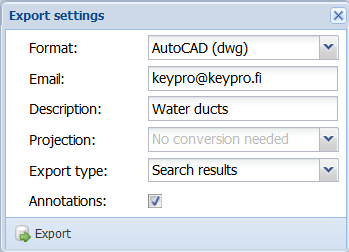
Click Export to accept the data export. The system displays a notification that your request is being processed.
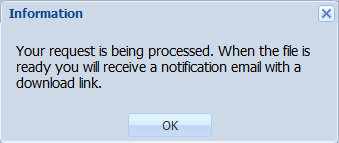
When the file has been processed, the system will email the user a link for downloading the file.