Exporting to Finnish VerkkoGML
Finnish VerkkoGML models the network objects’ location and primary features. This data model is used for transferring network information between various systems. The data model has been described as a UML diagram and XML schemas. The schemas comply with the ISO 19136 GML standard. Data classification is based on the classification of municipal location information and is compatible with the Finnish KuntaGML data model. You can export objects listed using the Info tool to a VerkkoGML file. To do this, click Export and then select the Export to VerkkoGML function. If your browser suggests saving the file, do this to minimise any problems.

You can also export to VerkkoGML objects included in a plan you selected on the Plan form.
The VerkkoGML function is also available on all object forms (cable, conduit, splice, pole, manhole, telecom premises) and on the circuit form. This function creates a VerkkoGML file of the search results on the form.
Exporting objects to external file formats
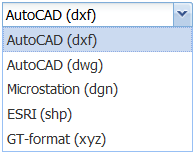
You can export KeyCom objects to AutoCAD (dwg, dxf), ESRI (shp), Microstation (dgn), and GT (xyz) formats. You can also export area objects and the area borders of plans to these formats.
Use either the Info form or the object forms to export network and annotation data to one of the formats listed above. The link for downloading is sent to the user’s email address.
- In the drop-down menu for Export
 , select Export – Advanced export... to export the objects to another file format.
 - On the Export settings form that appears, select the export Format.
- Enter a Description for the export and select the required coordinate system (Projection) for the file that is created.
- Use the Clip results option to select whether to crop objects along the borders of area objects.
- Select whether annotations are exported.
Note! Email addresses are defined/linked to user IDs through the admin user interface. If the intention is that a user does not have rights to use this function, the email address field must be left empty.
Admin users can edit the email address to which the link for downloading data is sent.
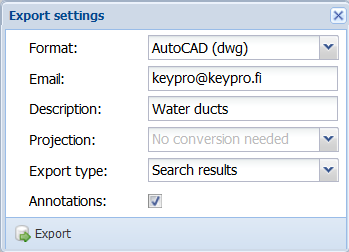
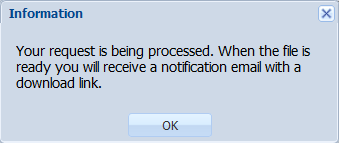
Click Export to accept the data export . The system displays a notification that your request is being processed. In the picture below, request is pending.
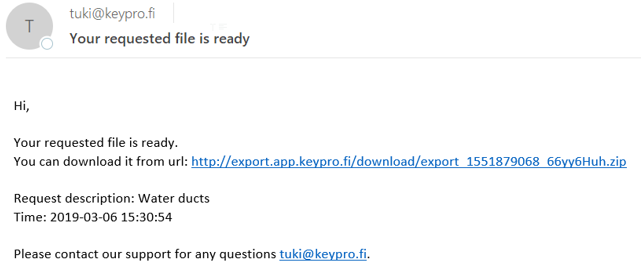
When the file has been processed, the system will email the user a link for downloading the file.
Keyhole Markup Language (KML) is an XML-based mark-up language. KMZ is a compressed KML file, or a set of files. Google Earth and Google Maps support KML and KMZ files, enabling the use of the file content, for example, when checking the location of cables. Exports to these file formats can also be viewed, for example, in QGIS, which displays the basic information on the object properties.
KML exports are enabled for the following network objects: cables, ducts, telecom premises, splices, manholes, poles, and point objects. Various symbols are used for displaying point objects, with different colours used for line objects.
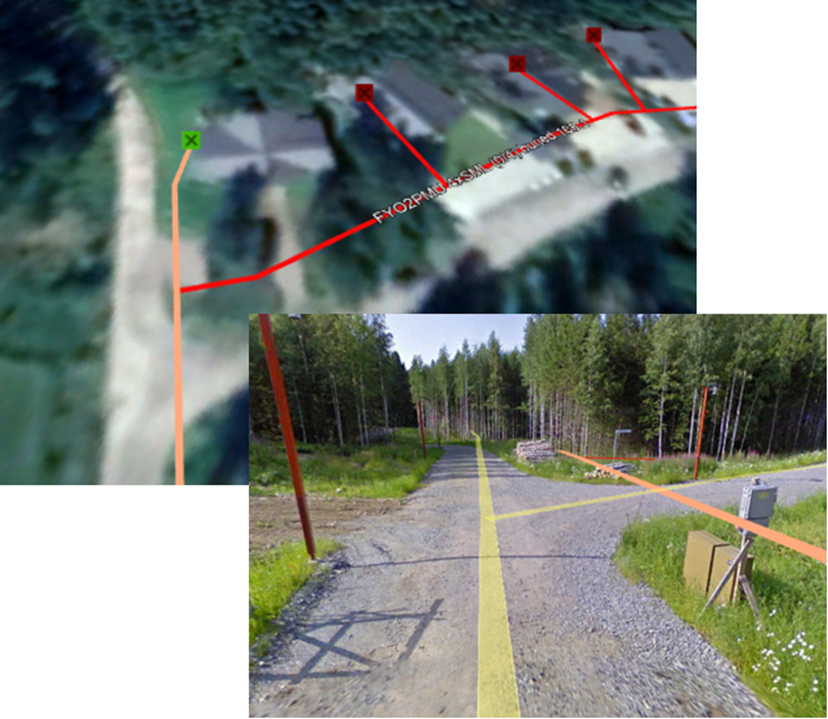
TIP: If you want to view the exported material in Google’s map applications, we recommend that you select WGS84 as the coordinate system. In addition, please note the service terms applicable to material loaded to Google.