In KeyAqua, you can save various control values for pumping stations that the modeling software can then use. This means that you can change the control values in KeyAqua and then model the network with the adjusted values. The control data is linked to the pumping station as dynamic documents.
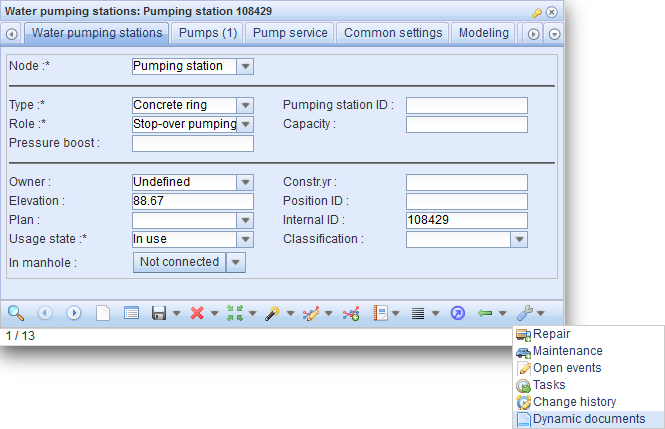
Click the Dynamic documents function to open a form which lists the related control tables. If no control tables are associated with the object, the list is empty.
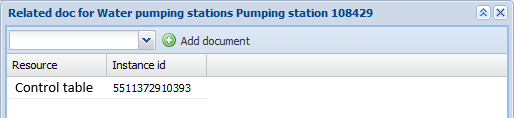
To add a new control table, select the control table to be added from the list at the top section of the form.
At the moment, the available control tables are:
- Level compensated flow
- Constant pressure
- Stop
- Pressure compensated flow
- Flow compensated pressure
- Constant flow
After you have selected the control table, click Add document . Enter the values on the form that is displayed.
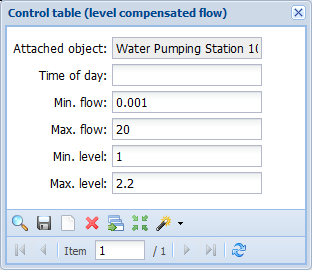
Note! There may be several control tables for booster pump stations.
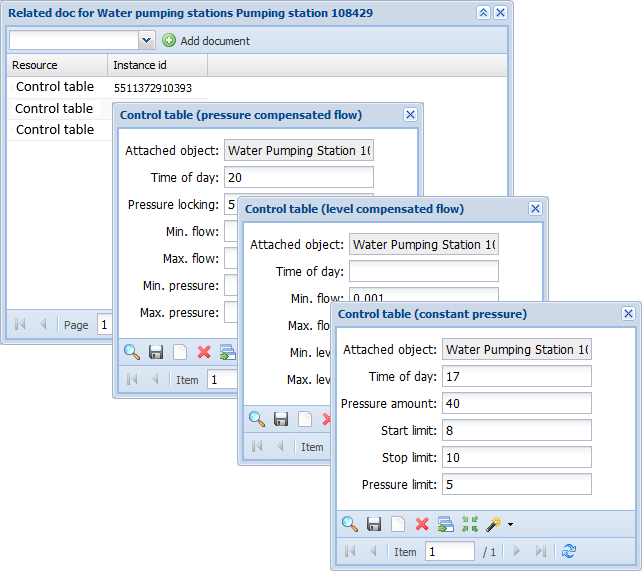
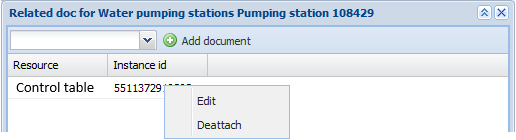
To change the data in a control table that you added, place your mouse cursor over the control table row and right-click Edit in the displayed menu. Click Detach to detach a control table from a pumping station.