This section discusses system features that are not directly related to the other categories.
Point object
Point objects are objects independent of the networks, such as traffic signs. The Point object
 tool can be found in the toolbar at the top of the map view. You can add items freely on a map using the Create
 function.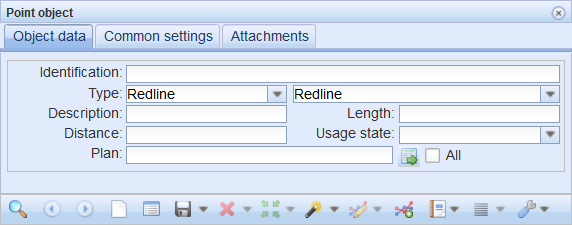
Node ducts and elevation
The Node ducts and elevations form is used to view and update the elevation data for the selected node and the ducts connected to it. In the case of a sewer network node, you can create a printout called a Manhole survey card. The manhole survey card is used to display the data content and connections of the node and the ducts connected to it. To retrieve a node to the form, use the Pick tool and define the required object on the map. If the area you define includes several nodes, a list of nodes will be displayed, and you can choose the node that you want.
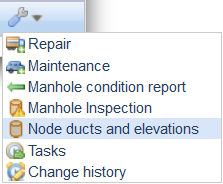
You can open the Node ducts and elevations form from the drop-down menu for Common in the toolbar at the top of the map view or from the menu for Other tools on the Sewer nodes form.
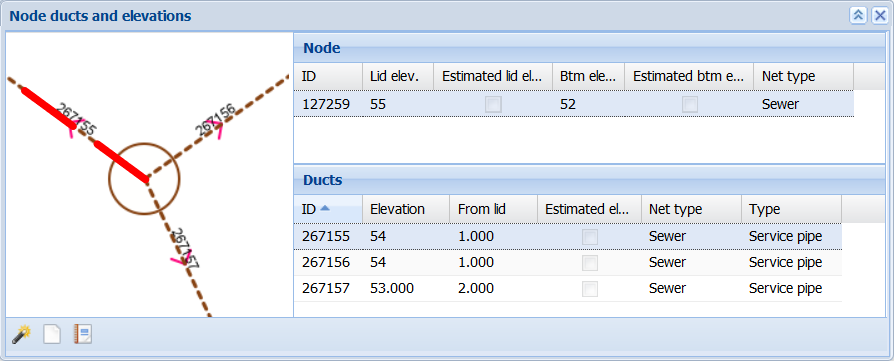
The Node ducts and elevations form consists of three sections: the Map window and the Node and Ducts tables. The directions of the ducts connected to the node and the names of the ducts are displayed in the Map window. The Node and Ducts tables present the property attributes of the objects in question.
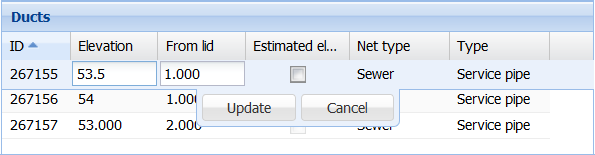
You can edit the elevations of objects connected to the node by double-clicking the object row. You can then edit the values on the selected line. Click Update/Cancel to update or cancel the changes you made.
To download and print the Manhole survey card and the condition-related information in PDF or XLSX format, click Manhole survey card . To hide ducts from the Ducts list on the Manhole survey card, click the duct row with the right mouse button and select Hide. The duct will no longer be displayed on the Manhole survey card list and printout, but it will not be removed from the database. The manhole condition form is described in the chapter Manhole condition.
Manhole condition report
The Manhole condition report form can be opened from the Other tools
 menu at the bottom of the Sewer manhole form. To add a condition report, click Add condition
 .
.
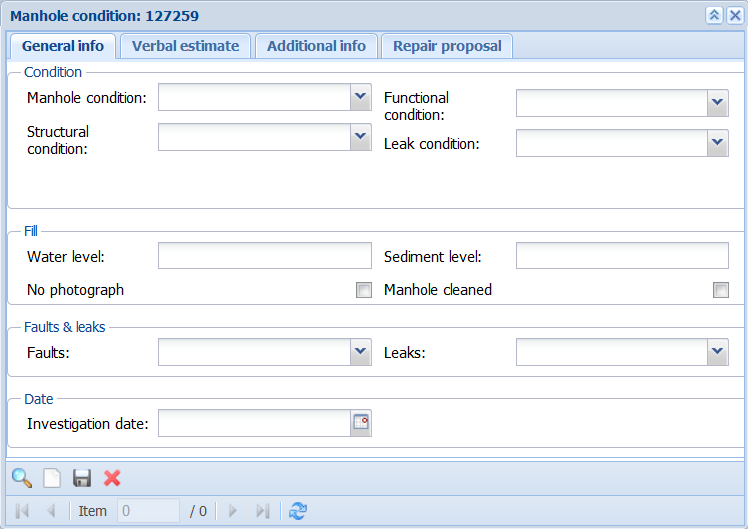
In addition to general data, you can also save comments, additional information, or repair suggestions on the Manhole condition form. The information saved on the various tabs of the form can be printed on the Manhole survey card. You can print it from the Node ducts and elevation form (see the section Node ducts and elevation).